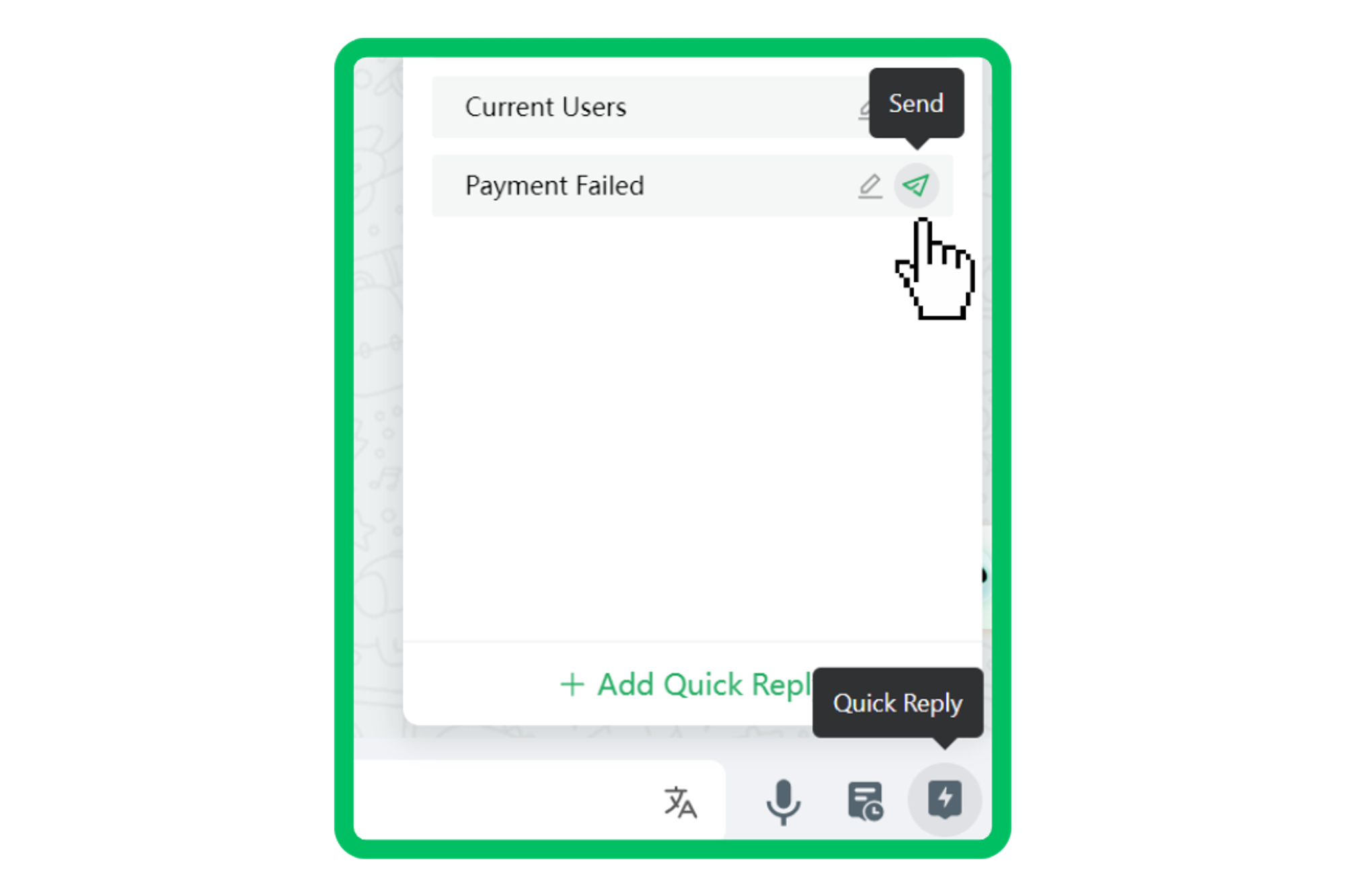


创建响应模板,在聊天时使用它们来高效处理消息。
注意:快速回复功能在 Starter, Pro, Growth
版本中可以无限使用。 但是,您也可以在 免费
版本中访问一次。
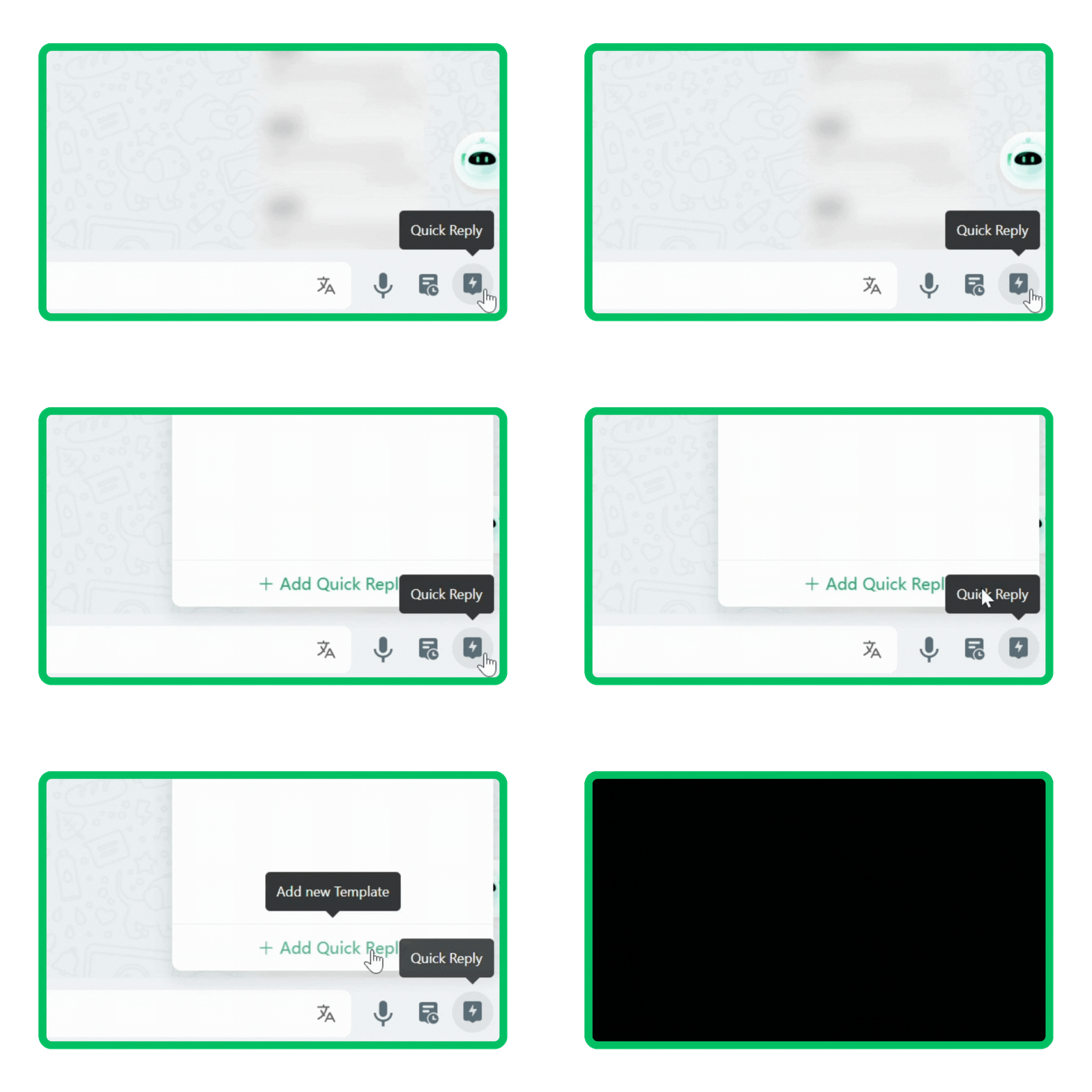
步骤 1:导航到工具栏中的
快速回复;
步骤 2:点击
添加快速回复 创建常用的回复模板;
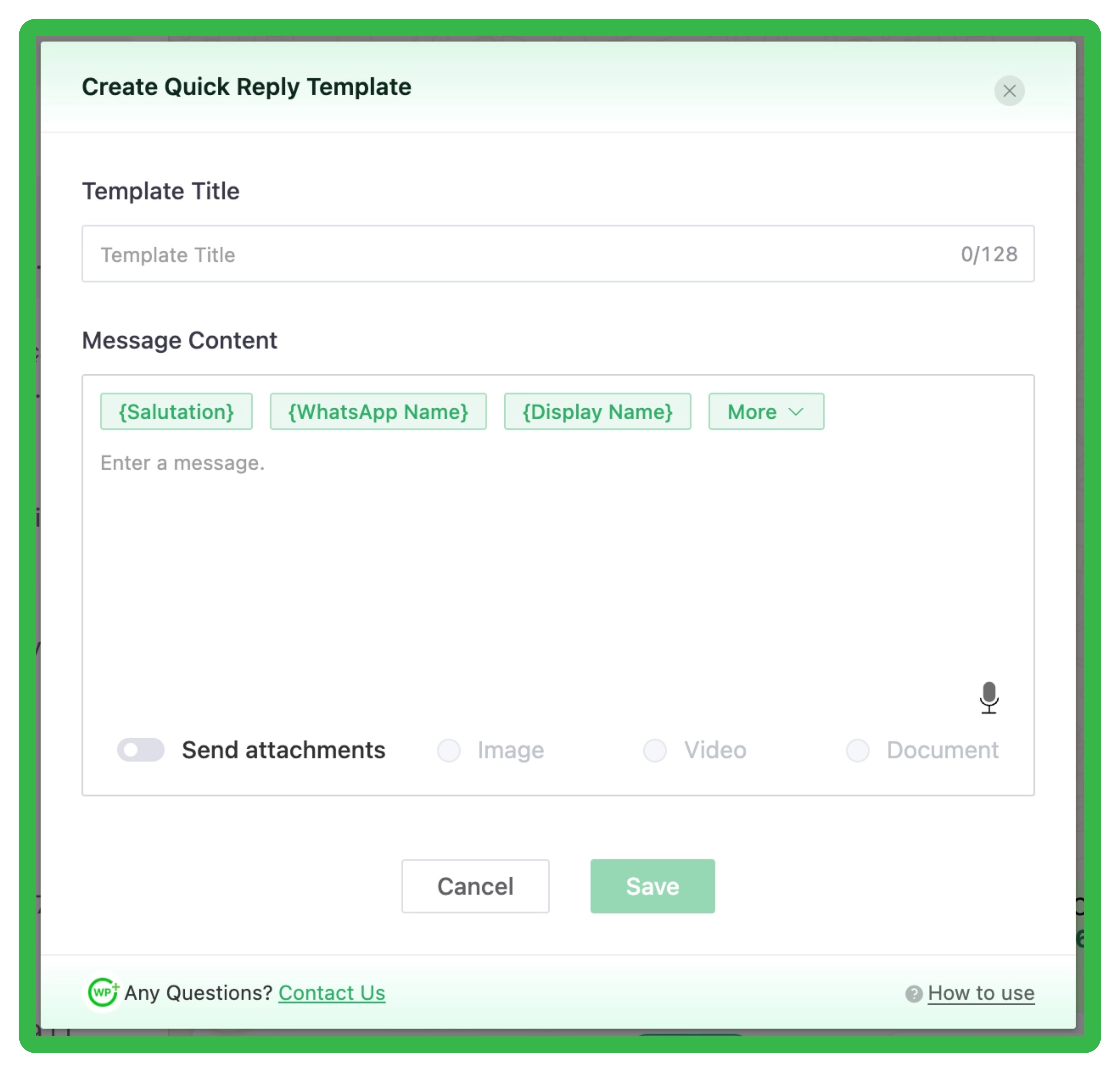
Step 3: Input the details of templates, pro users can create templates
with video, image, and file attachments.
Step 4: Click
Save
.
For guidance on how to use placeholders to edit your messages,
click
Message Placeholder Tutorial
to view more tutorials.
Step 6: Simply click the
send
in the template list while chatting.